Bulk edits in a vendor SaaS with no API
Spreadsheet-driven browser automation over an existing sign-on session, with dry runs and per-item verification.
What was in the way
An internal operations team at a mid-size organisation had hundreds of records to change across four vendor systems: a records platform, a permissions console, a document library and a forms tool. None of them exposes a usable API on the licensed tier, and IT will not issue a service account, so the only route to the data is the web interface a person clicks through behind single sign-on.
By hand that is a week of repetitive form filling per system. A week of form filling also produces mistakes that nobody can find afterwards, because there is no record of what was actually changed.
How it was built
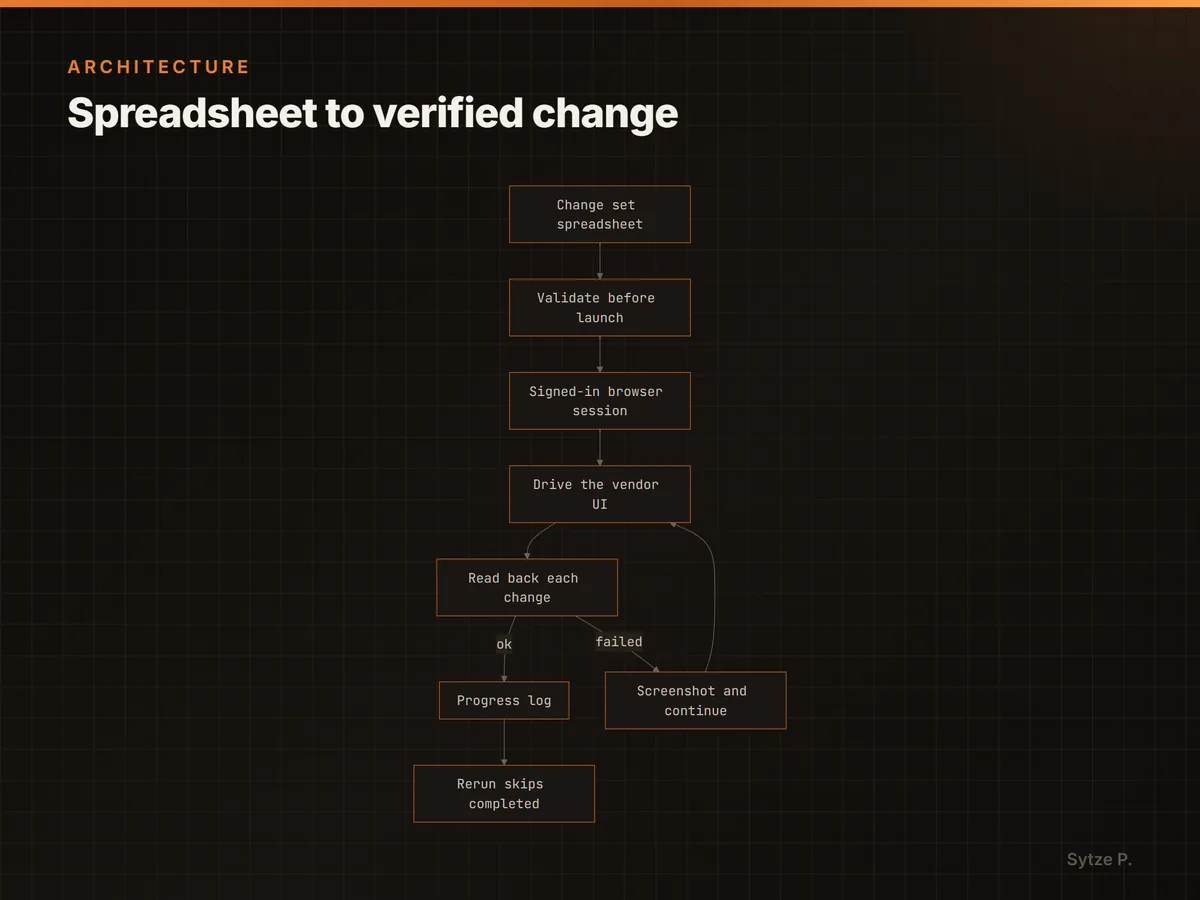
The change set lives in a spreadsheet, so the people who own the data edit rows instead of asking a developer to edit code.
Two session strategies, chosen per deployment. Interactive runs copy the operator's signed-in browser profile into a throwaway directory and drive it from there, so no credential lives in the repository. Scheduled runs sign in headlessly with a one-time code from a secret in the runner's vault.
Each item is read back after it is applied, and completed items go to a progress log so a rerun resumes.
How it works
The spreadsheet is the control surface
Headers and every value are checked before the browser launches. An invalid row is skipped by its row number and reported, rather than taking the run down with it.
Reruns skip what already landed
Checkbox state is read before it is toggled, and completed items are appended to a progress log. A crash costs the current item, not the run.
Every save is read back
After each write the page is scanned for the vendor's error text, and the save control is guarded against a second click. A silent failure gets recorded as a failure.
Built for a UI that lags
Dependent dropdowns are polled with backoff until their options actually exist, aborted navigations are retried, and a file is re-read until the download has finished landing on disk. These are the races that make naive UI automation flaky.